Aescripts Voice2Captions v2.1.0

| Program Name | Version |
|---|---|
| After Effects | CC 2018 + |
Aescripts Voice2Captions v2.1.0 – Free Download After Effects Plugin
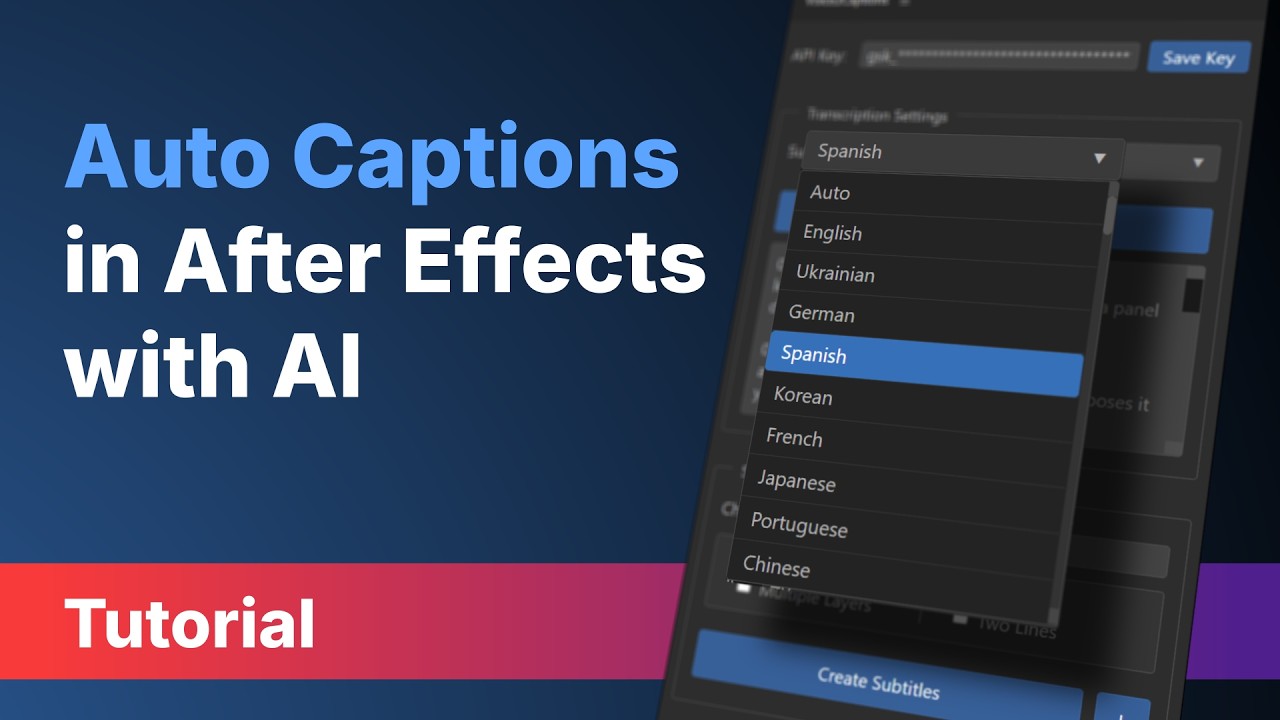
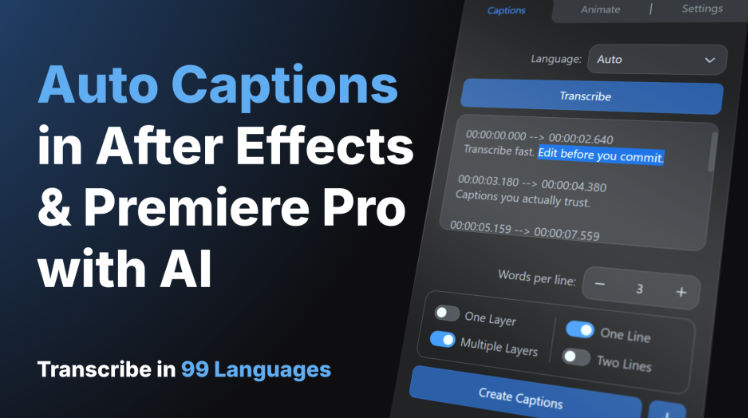
Voice2Captions is an extension for After Effects and Premiere Pro that automatically transcribes and subtitles audio using AI. Convert speech into accurate, multilingual captions — 99+ languages – directly inside your timeline. Fast, secure, and built for creators who want to save time.
99+ languages, auto-detected
English, Ukrainian, Spanish, Mandarin, Arabic, Japanese — and dozens more. Set it to Auto and forget about it.
Choose your AI engine
Deepgram Nova-3 for top accuracy, Groq for blazing speed and a free tier, or OpenAI Whisper as the reference model. Switch any time.
Native captions & text layers
Captions appear in the Premiere Pro Captions panel (not markers), and in After Effects as native text layers.
Editable transcription
Read the result, fix it, retime it — all before a single layer or caption hits your sequence.
SRT export, properly encoded
UTF-8 with BOM and CRLF line endings — works in Premiere, DaVinci, YouTube, and every player you’ll throw it at.
Smart line splitting
Choose 1–10 words per line and select one or two lines. Captions are automatically split at natural word breaks with balanced timing.
Multi-layer batch processing
Select several audio layers or clips at once and transcribe them in a single pass. Long sessions, podcasts, multi-cam — handled.
Cyrillic, CJK, Hebrew paths
Project on a Ukrainian Desktop folder? Chinese filename? Voice2Captions handles non-ASCII paths flawlessly on every OS.
Bundled FFmpeg
Windows, macOS Intel, and Apple Silicon binaries included. Zero setup, zero terminal commands.
For More , please type what you want in the search box, choose the category you want to search in, then press “Search”.
Also Check This out :
- Premiere Pro Templates
- After Effects project
- Apple Motion Templates
- DaVinci Resolve Templates
- Motion Graphics
- Sound Effects