Aescripts Sequence Compare v1.0.0 Free Download

| Program Name | Version |
|---|---|
| Premiere Pro | CC 2022 + |
Aescripts Sequence Compare v1.0.0 – Free Download Plugin
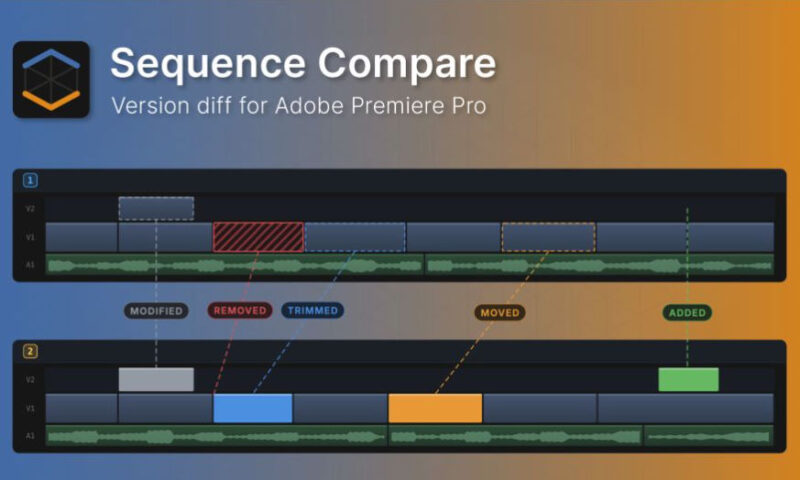
A version-diff panel for Adobe Premiere Pro. Compare up to five versions of a sequence and see exactly what changed.
Sequence Compare tells you what changed between two versions of a sequence.
Premiere’s Comparison View compares frames. This compares the edit itself, clip by clip, track by track, and lists every difference with a timecode. Open the new cut and know in seconds what moved, what was trimmed, what is gone and what was quietly re-graded.
Pick two versions
Any two sequences in the open project. No naming convention, no XML export, nothing to prepare first.
Press Compare
Both timelines are read and matched clip by clip, through razor cuts, ripple edits and clips dragged to another track.
Jump to the change
Click a row: Premiere moves the playhead and selects the clip. Work down the list until you have seen everything.
Every change is one row
- Timecode, track, clip name, and a pill for each kind of change on that clip
- A clip that moved and got a new grade says both on the same line
- Open a row and the numbers behind it are listed under the pill they belong to
- Neighbouring clips carrying the same change collapse into one row, so a ripple edit is a single line instead of two hundred
- Sort by timecode, track, clip or kind of change
- Export the whole list as CSV for a report or a handoff
For More , please type what you want in the search box, choose the category you want to search in, then press “Search”.
Also Check This out :
Download :
Related Posts