Aescripts DreamFerry v0.3.1 Free Download

| Program Name |
|---|
| Premiere Pro |
Aescripts DreamFerry v0.3.1 – Free Download Plugin
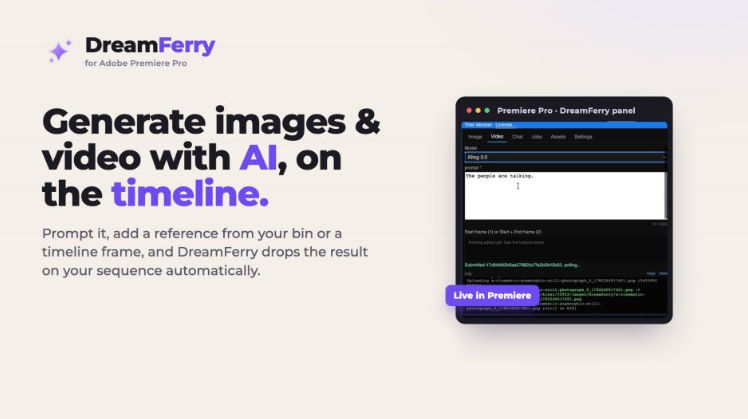
Generate images, video, and AI chat with today’s top models, right inside Premiere Pro: prompt, pull references from your bin or timeline, and the result lands on your sequence automatically.
DreamFerry runs on KIE.AI. You bring your own KIE.AI API key, and generations use your KIE.AI credits. DreamFerry drives the KIE.AI API and automates the round-trip into Premiere; it does not include, replace, or resell the models or KIE.AI.
What DreamFerry does
Generative AI normally means leaving your edit: open a browser, generate an image or clip, download it, find it, import it, and drop it on the timeline. DreamFerry does that whole round-trip for you, inside Premiere.
Write a prompt, optionally add reference images, a start or end frame, or a reference video or audio clip, and click Generate. DreamFerry submits the job, polls until it is ready, downloads the result, imports it into a GenAI bin, and places it on a video track at your playhead. Your edit keeps moving while the job runs in the background.
One panel, three tools
- Image: text-to-image and image-to-image with Nano Banana 2 and Pro, Seedream 5 Lite, Flux 2 Pro, Grok Imagine, and GPT Image 2. Add references; if you add none, it is text-to-image; if you do, it is image-to-image, automatically.
- Video: text-to-video and image-to-video with Seedance 2.0 and 2.0 Fast, Kling 3.0 and Kling Motion Control, Grok Imagine Video, Gemini Omni Video, Runway Aleph, and Veo 3. Use a start frame, an end frame, or multi-modal references (multiple images, a reference video, reference audio).
- Chat: brainstorm shots, prompts, and copy with GPT 5.5, GPT Codex, Claude Opus 4.8, and Gemini 3.5 Flash, with a persistent conversation and a system prompt that gives the assistant memory of your project.
References from where you already are
Pull a reference straight from your Premiere project bin, grab the current frame under the playhead, or reuse anything from the built-in Asset library. Pick a still as a start or end frame, feed multiple stills for style, or hand a model a reference clip. No exporting, no file hunting.
For More , please type what you want in the search box, choose the category you want to search in, then press “Search”.
Also Check This out :