Aescripts SFX Auto Insert v1.3.0 Free Download

| Program Name | Version |
|---|---|
| Premiere Pro | 2027, 2026, 2025, 2024, 2023, 2022 |
Aescripts SFX Auto Insert v1.3.0 – Free Download Plugin
Color your Premiere Pro captions as you edit, and it places the right sound effect on the timeline for you.
No learning curve.
If you already color-code your clips, you already know how to use this.
Map a label color to a sound category once. From there, coloring a clip is the whole workflow. Nothing new to learn, nothing extra to do.
What it does
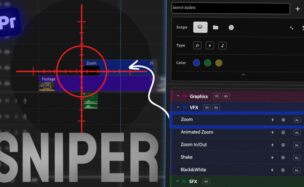
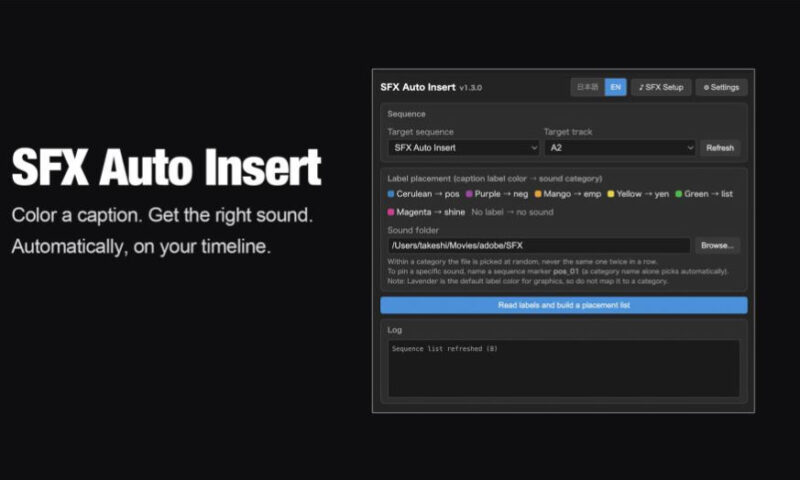
- Color-coded triggers — assign any label color to any sound category
- Pin an exact sound to a spot with a sequence marker
- Batch rename your existing SFX library in one click, no reorganizing
- Review every placement before it happens, uncheck what you don’t want
- One click removes only the sounds this panel placed — your own audio stays untouched
- Works entirely inside Premiere Pro, no separate app to manage
Prepare your sound library
Point it at your SFX folder once. It audits every file and batch-renames them into your naming scheme. Setup takes minutes, not an afternoon.
Color your captions
Hit your label-color shortcut without breaking stride
or right-click if you’d rather. The panel reads every label across the sequence and proposes a sound for each.
Custom categories
Positive, negative, emphasis, or rename them into anything. Any label color can map to any category you define.
Pin a sound to an exact spot
Automatic selection not what you want for one beat? Drop a sequence marker and pin the exact file to the exact frame.
Review, insert, undo
Every placement lands in a checklist before it touches your timeline. Approve what you want,
and one Premiere undo reverses the whole batch.
For More , please type what you want in the search box, choose the category you want to search in, then press “Search”.
Also Check This out :