Aescripts Quick Parent PRO v2.2

15 December 2025
2,804
Aescripts Quick Parent PRO v2.2
Program Name Version
After Effects CS6 +

Aescripts Quick Parent PRO v2.2 – Free Download After Effects Plugin

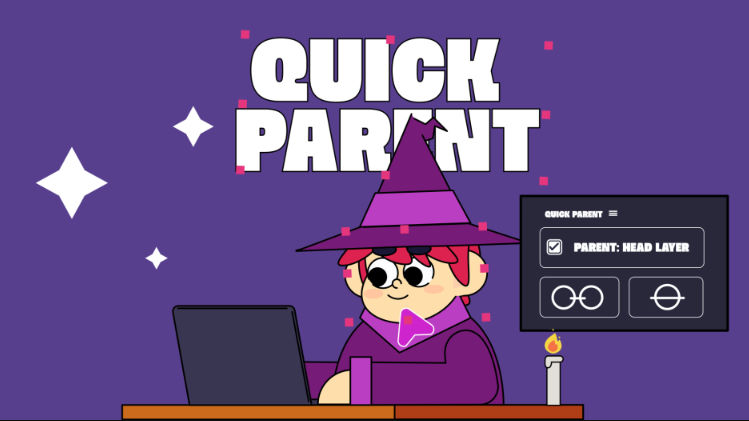
Accelerate your workflow with Last-Selection Parenting. This tool tracks your selections in real-time and instantly links multiple layers, eliminating the tedious drag of the pick whip. Select Children and the Parent, then apply. To unparent, just use a single click—no searching through menus. The fastest and most precise way to link layers in After Effects.

Quick Parent PRO is a workflow tool designed to eliminate the frustration and time loss associated with native Parenting in Adobe After Effects. Forget searching for layers in endless lists and dragging the pick whip across your timeline.

The script introduces a modern approach that turns the hierarchical process into a single-click task, drastically increasing your speed for rigging and animation.

Key Features

1. Last-Selection Parenting (Real-Time Tracking)

  • Instant Speed: Link multiple layers instantly with a single click of the Parent button.
  • Real-Time Tracking: The script tracks your selections in the Timeline or the Composition Viewer, always identifying the last selected layer as the potential Parent.
  • Goodbye Pick Whip: You never have to drag the spiral again. Select your Children layers and the Parent, and apply the link instantly.

2. One-Click Unparenting

  • Instant Unlinking: Select one or multiple parented layers and click Unparent. The script immediately unlinks them, eliminating the need to open the drop-down box and search for the “None” option in long lists.

3. Resource Control

  • On-Demand Tracking: Activate or deactivate the Selection Tracking with a single click. Although resource consumption is minimal, this function ensures that Quick Parent PRO consumes absolutely nothing in the background when you are not actively using it.

For More , please type what you want in the search box, choose the category you want to search in, then press “Search”.

Also Check This out :

Related Posts :
© 2018-2025 intro-hd.net All Rights Reserved