Aescripts Aurum v1 Free Download

| Program Name | Version |
|---|---|
| After Effects | CC 2022 + |
Aescripts Aurum v1 – Free Download After Effects Plugin
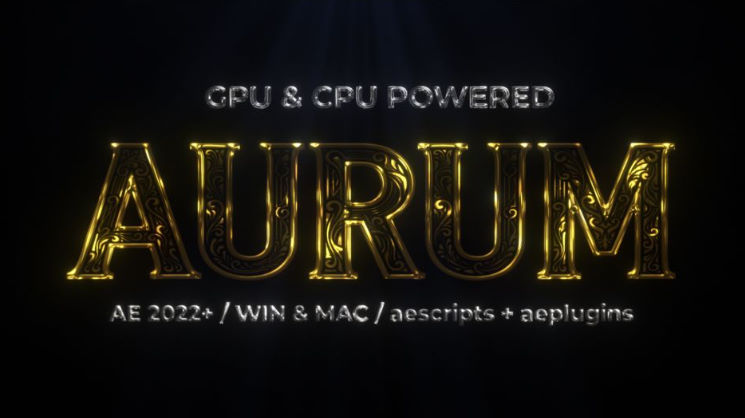
Aurum is a GPU-accelerated metallic effect plugin for After Effects, built on real PBR shading, HDRI environment reflection and Smart Edge detail detection. Available for Windows and Mac
Features
Aurum is a GPU-accelerated C++ plugin for After Effects that delivers physically accurate metallic effects using real PBR shading and HDRI environment reflection. Built specifically for 2D logo and text workflows, GPU acceleration ensures fast feedback across all parameters.
Real PBR Shading: Physically based rendering with roughness, specular, Fresnel and anisotropy calculations for true metallic results
HDRI Environment Reflection: 7 original built-in HDRI environments including Gallery, Studio, Showroom, Beauty, Rim Light, Strips and Panels, plus custom layer support
Smart Edge Detection: Automatically detects inner details and edges of your layer and carves them into the heightmap, adding real depth and dimension to the metallic surface
8 Built-in Presets: Gold, Silver, Rose Gold, Bronze, Copper, Platinum, Brushed Steel and Black Chrome, each fine-tuned with its own parameter set
5 Bevel Profiles: Smooth, Round, Chisel Hard, Chisel Soft and Mesa for precise control over edge style
Lighting Controls: Light Angle, Light Height, Specular and Roughness for full control over the metallic highlight
Glow: Built-in glow system with Intensity and Radius controls, GPU accelerated for fast updates
Color System: Shadow, Midtone and Highlight color controls with Saturation and Tint Blend
8/16/32 bpc Support: Works in all After Effects bit depth modes
System Requirements
After Effects 2022 or later, Mac or Windows
GPU Accelerated: GPU acceleration on Mac and Windows with CPU fallback for maximum compatibility
Recommended: Apple M2 or later on Mac, mid-range dedicated GPU on Windows. Performance varies by hardware. CPU fallback is available on all systems.
For More , please type what you want in the search box, choose the category you want to search in, then press “Search”.
Also Check This out :
- Premiere Pro Templates
- After Effects project
- Apple Motion Templates
- DaVinci Resolve Templates
- Motion Graphics
- Sound Effects